AI Threat Detection:
How Custom CCTV Zones Stop Intruders, Vehicle Theft and Unsafe Acts
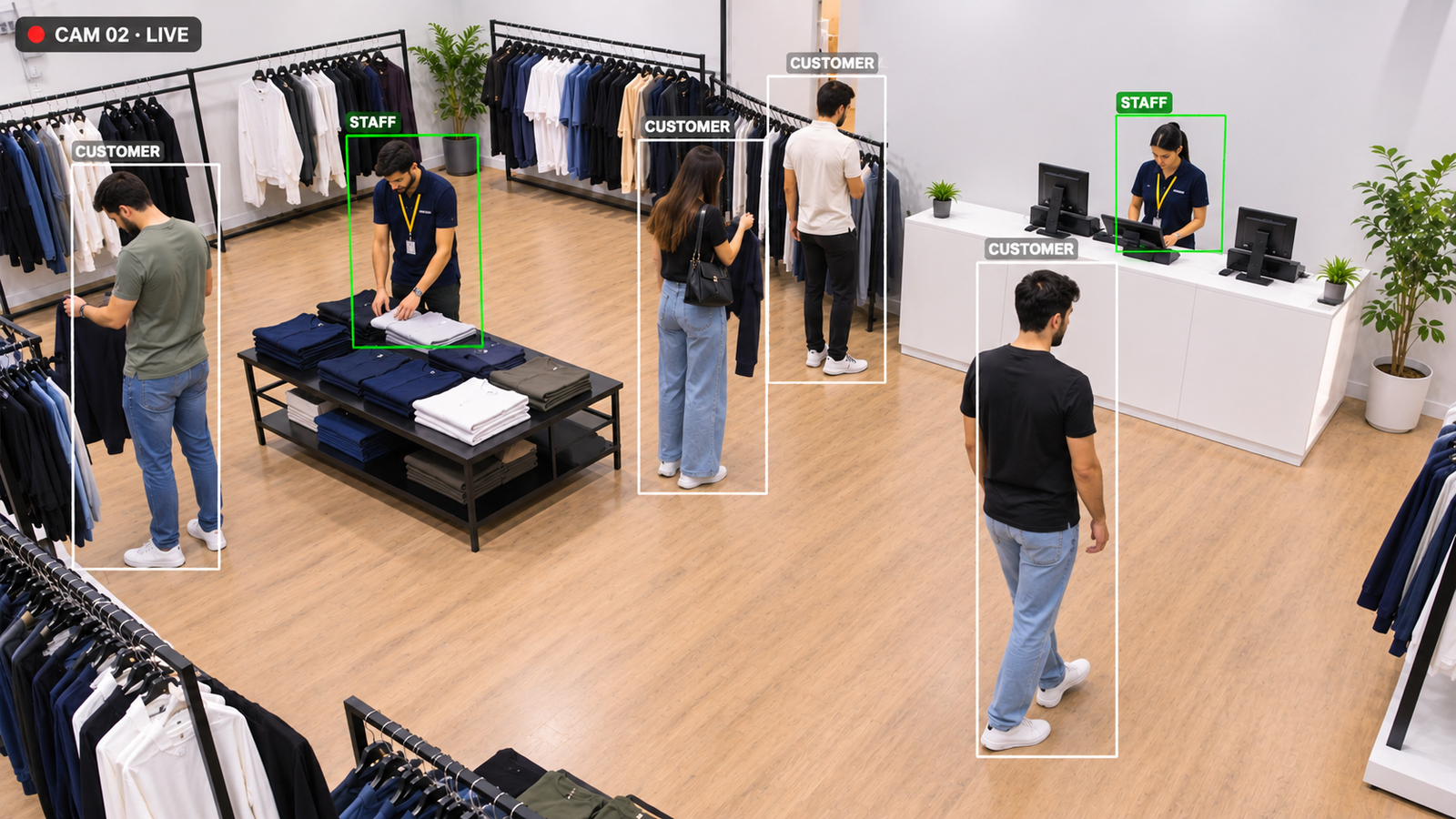
Most security teams do not have a detection problem. They have a false alarm problem. AI threat detection with custom zones only alerts when a real person or vehicle breaks a rule you set: an intruder at the fence, someone tampering with a parked car, or a worker entering a machine zone without a helmet. This guide explains how zone rules work, the threats they catch, how to keep them quiet in wind, rain and headlights, and how to run them on the CCTV you already have.
01 · The real problem
Why do security teams ignore so many alarms?
Classic motion detection reacts to change in the image. Swaying trees, rain, insects on the lens, car headlights and shadows all count as change, so a busy camera can send dozens of alerts a night. After a week, operators stop looking. When a real intruder climbs the fence, the alert sits in the same pile as the false ones.
AI threat detection works the other way round. It looks for people and vehicles first, then checks them against rules you set for each zone. That makes it reliable enough for car parks, factories and critical infrastructure, where physical security is treated as a core risk by bodies such as the U.S. Cybersecurity and Infrastructure Security Agency (CISA). It is the core of our AI video surveillance work, and it runs on cameras most sites already own.
02 · How zones work
How do custom AI zones detect an intrusion?
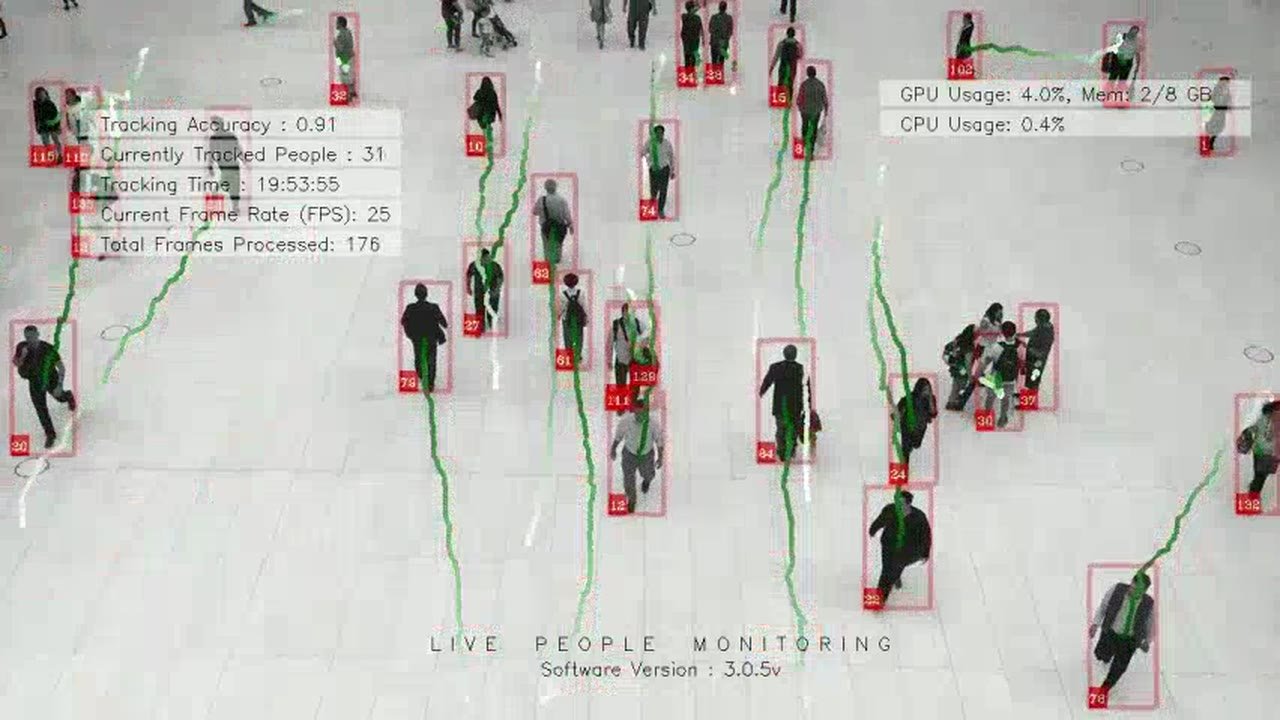
An object detection model checks every frame for people, vehicles and, where needed, objects such as bags. A tracker gives each one an ID and follows it across the frame, so the system knows where it came from, where it is heading and how long it has been there. Animals, rain and moving branches are not people, so they never reach the rule check.
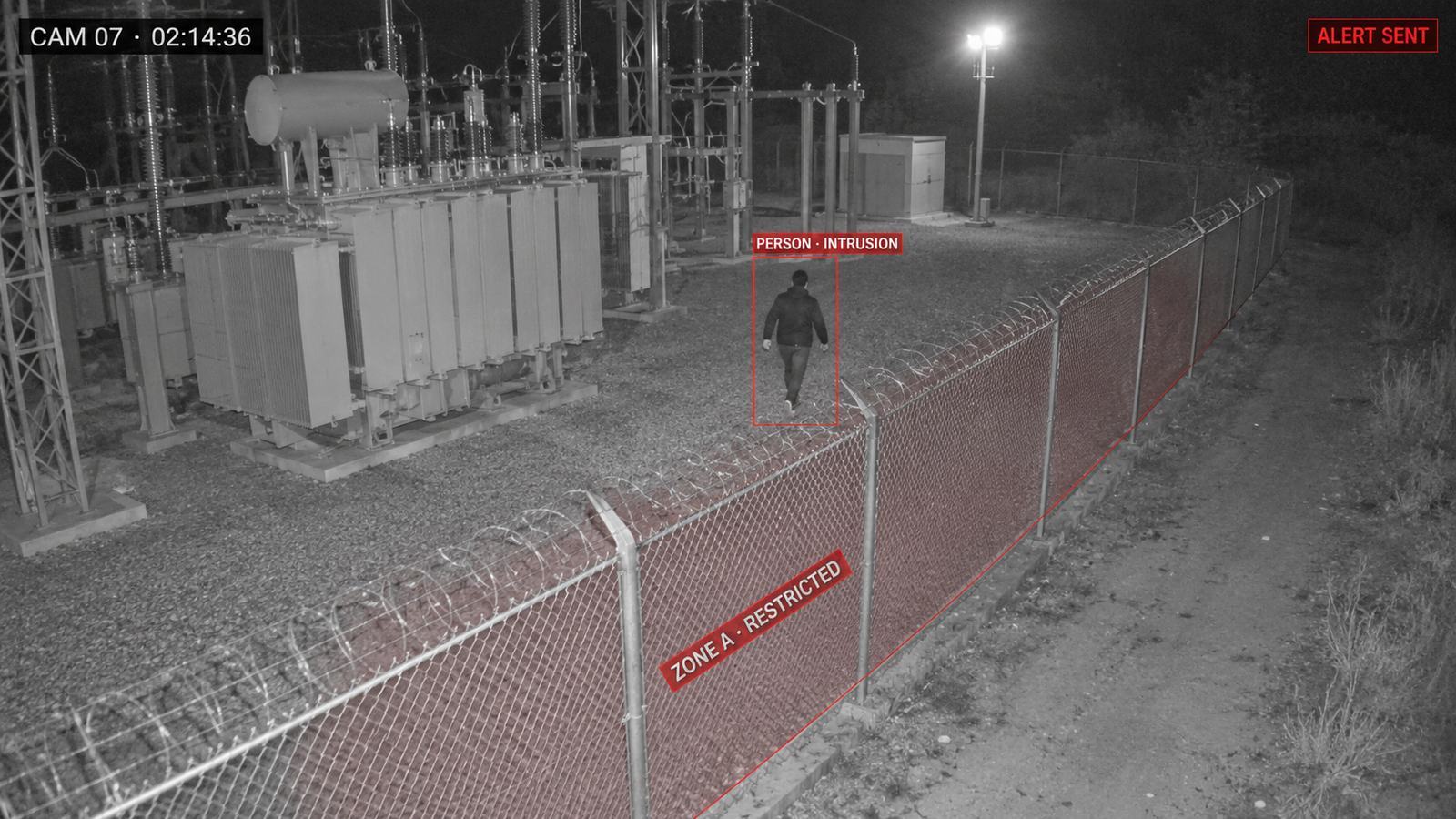
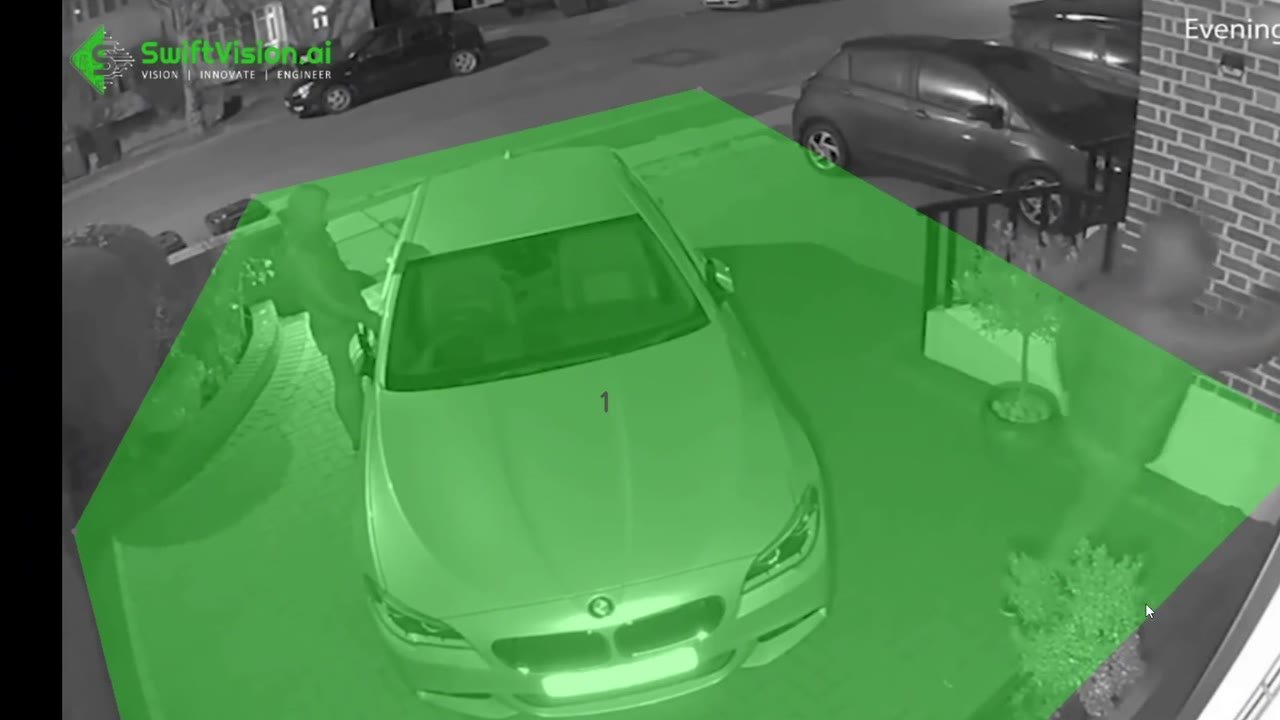
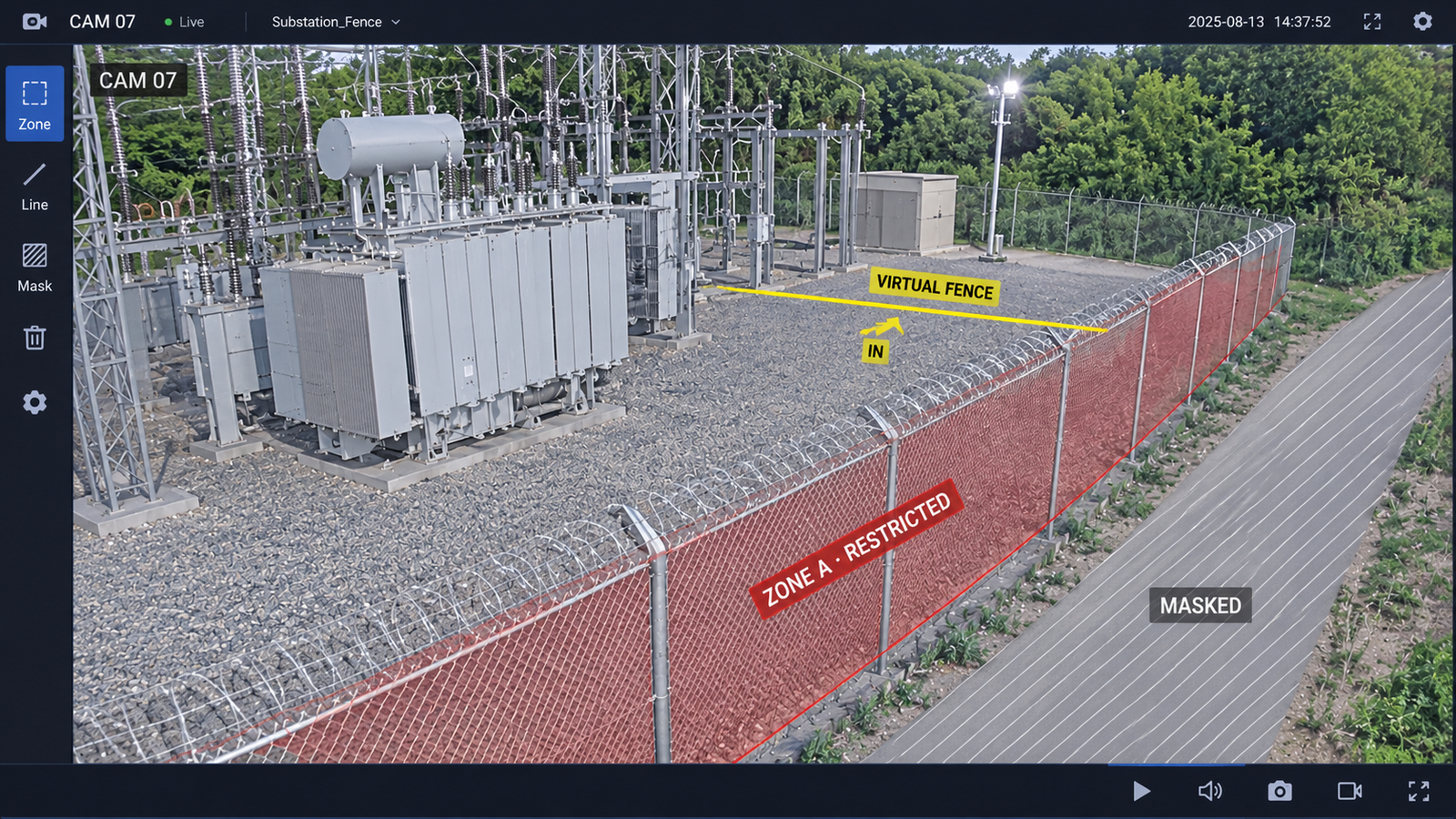
On top of this you draw zones on each camera view: a polygon over a fence line, a virtual fence across a gate, or an area around a transformer or loading bay. Each zone has its own rule, such as "person inside after 22:00 for more than 5 seconds" or "vehicle crossing the line inward". When a tracked object meets the rule, the system raises an alert with a snapshot and a short clip. Our restricted zone intrusion demo shows a zone over a driveway sending a phone alert at night.
03 · Threat types
Which threats can AI threat detection catch?
One AI threat detection system can watch for many threats at once. Perimeter intrusion flags a person or vehicle entering a restricted area or crossing a virtual fence. Vehicle theft flags someone circling, crouching by or trying the doors of a parked car or truck, especially at night. Loitering flags someone staying near a gate, ATM or entrance too long, and abandoned object detection flags a bag or box left still in a zone. In factories, safety zones flag a person near a running machine or a forklift route, or a worker without a helmet or vest. Our security case study shows these rules working across dozens of sites.
- 98%Fewer security incidents in a SwiftVision AI deployment
- 50%Faster incident response times at the same sites
- 47Sites brought live in under 60 days
04 · Setup
How do you go live with zone threat detection?
A typical rollout on existing cameras, from first review to live alerts.
-
 Step 01
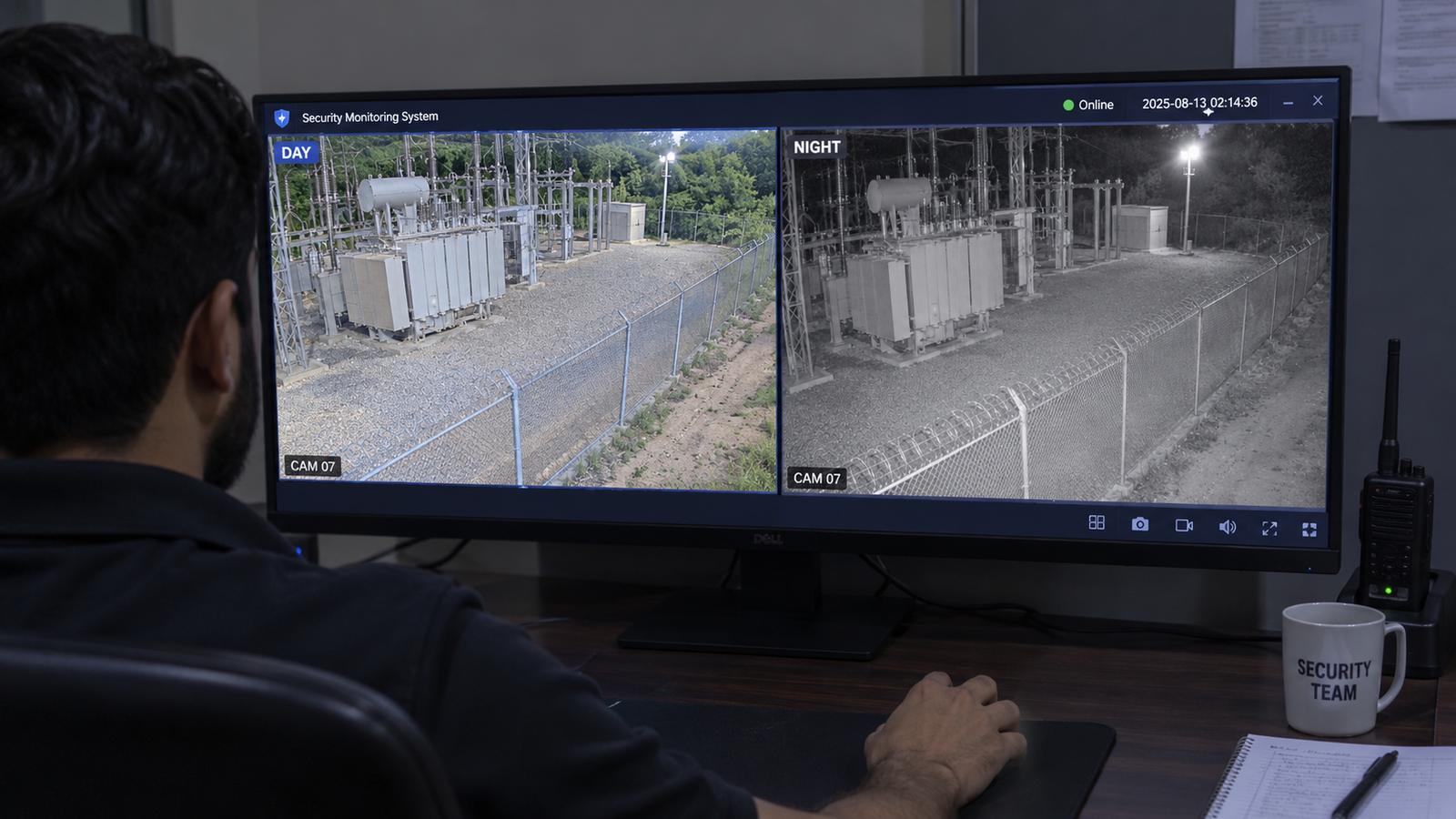
Review camera coverage
Check each camera by day and at night, so every fence line, gate and asset is clearly in view.
-
 Step 02
Draw zones and fences
Draw a restricted zone or a virtual fence line on each view, and mask out public roads and trees.
-
 Step 03
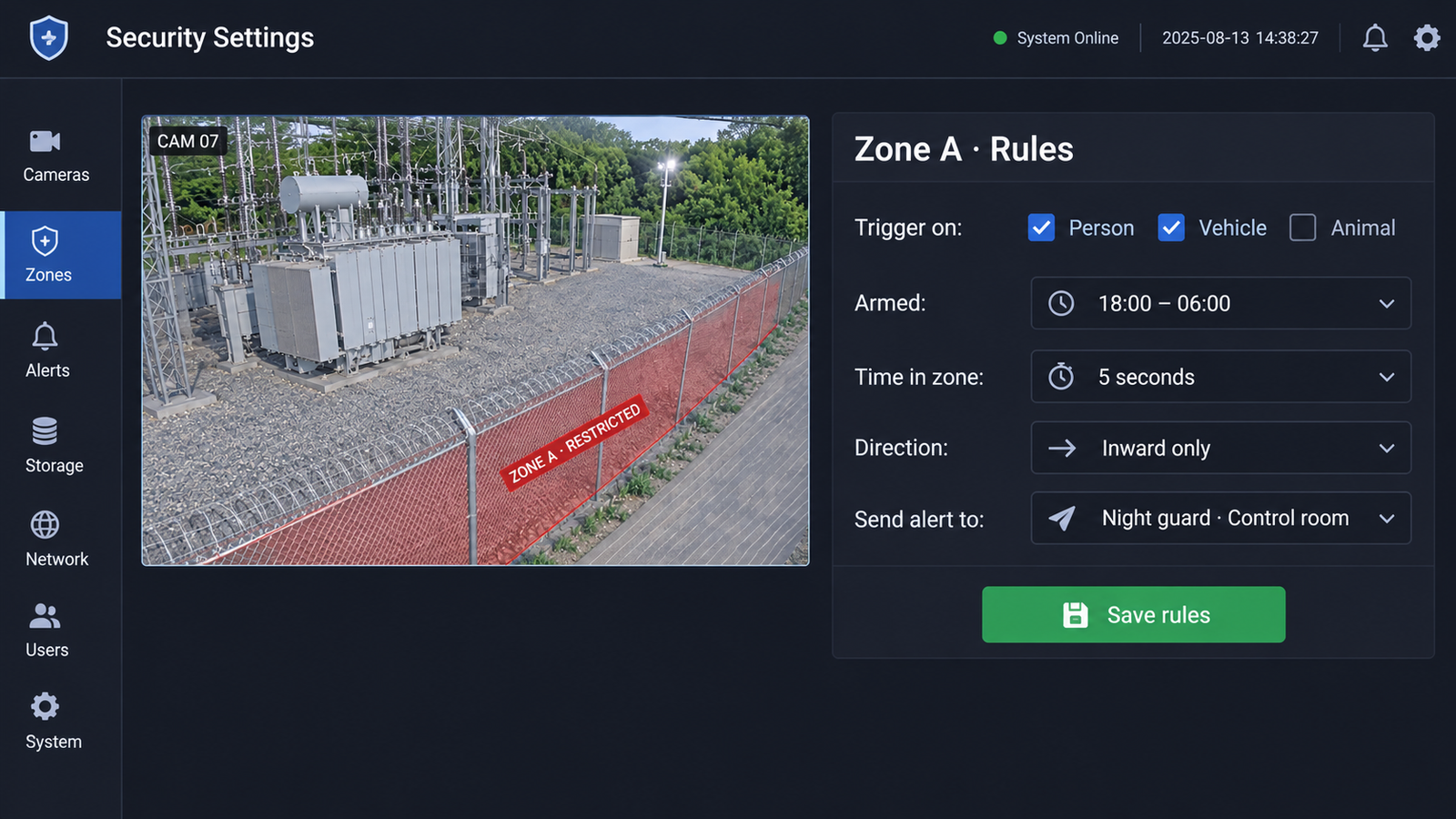
Set rules and schedules
Choose what can trigger each zone, when it is armed, the direction of travel and the time in zone.
-
 Step 04
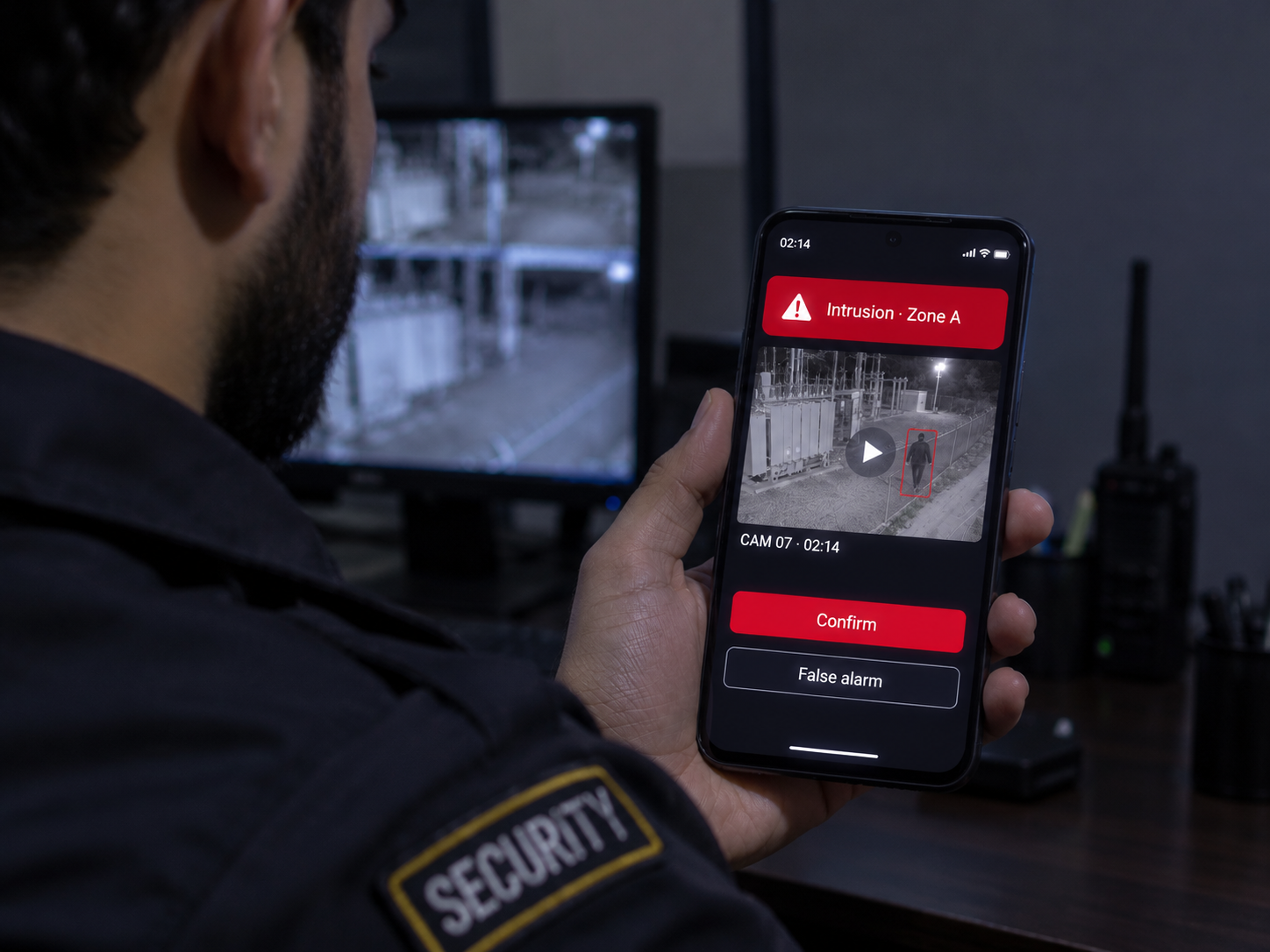
Verify and respond
Alerts reach the guard or control room with a clip, so a real threat can be confirmed in seconds.
05 · Rule design
How do you design rules that cut false alarms?
Most false alarms come from rules that are too broad. These settings keep AI threat detection quiet until it matters.
- Filter by object type: trigger only on people or vehicles, so animals, birds and blowing debris are ignored.
- Add time in zone: require a person to stay for a few seconds, which removes passers-by at the edge of a zone.
- Arm zones on a schedule: a loading bay can be busy by day and restricted at night, with the same camera.
- Use direction of travel: alert only on movement inward across a fence line, not on guards walking outward.
- Mask what you do not own: exclude public pavements, roads and neighbouring yards from every zone.
06 · Comparison
Motion sensors vs AI threat detection
Many sites still rely on motion detection or PIR sensors. Here is how they compare with AI threat detection.
| Factor | Motion detection or PIR | AI threat detection |
|---|---|---|
| What triggers it | Any change or heat in view | Only people or vehicles that break a rule |
| False alarms | Trees, rain, animals, headlights | Most filtered out by object type |
| Rules per area | One sensitivity setting | Zones, lines, schedules and direction |
| Threats covered | Movement only | Intrusion, theft, loitering, safety |
| Alert content | A beep or a log entry | Snapshot and clip for fast checks |
07 · Sites
Where is AI threat detection used?
The same zone rules protect very different sites. For factory safety, see our industrial AI solutions, and for stores, our activity monitoring guide.
-
Critical infrastructure
Substations, water plants and telecom towers with remote fences.
-
Car parks & fleets
Vehicle theft and tampering alerts for parked cars, trucks and dealerships.
-
Factories & warehouses
Machine safety zones, PPE checks and after-hours intrusion.
08 · FAQ
Frequently asked questions
What is AI threat detection in CCTV?
AI threat detection uses computer vision on security camera feeds to spot real risks, such as intruders, vehicle theft, loitering, abandoned objects and unsafe behaviour, and sends an alert in real time. Unlike motion detection, which alerts on any change in the image, it first identifies people and vehicles, then checks them against the rules for each zone, so it alerts far less often and mostly on real events.
Does AI threat detection work at night?
Yes. AI models can detect people and vehicles on infrared and low-light footage, and thermal cameras extend range in full darkness. Night-time testing during setup makes sure each zone performs well after dark.
Can AI threat detection run on our existing CCTV cameras?
In most cases, yes. Modern IP cameras and NVRs can stream video to an on-site edge device or server that runs the analysis, so cameras rarely need replacing. A short review of your views confirms coverage.
How does abandoned object detection work?
The system notices a new object, such as a bag or box, that appears in a zone and stays still for longer than a set time, often a few minutes. It then sends an alert with the moment the object was left, so staff can review it quickly.
Can AI detect vehicle theft from CCTV?
Yes. The system watches zones around parked cars, trucks or a fleet yard and flags behaviour linked to theft, such as a person circling a vehicle, crouching by a door or wheel, or staying near it at night. The alert arrives with a clip, so staff can check it before the vehicle is gone.
Can the same system be used for factory safety?
Yes. The same zone rules can flag a person entering a machine area while it runs, walking in a forklift lane, or working without a helmet or safety vest. Security and safety alerts can be sent to different teams from the same cameras.
How are alerts delivered?
Alerts can go to a phone app, WhatsApp, email, a control room screen or your existing video management system, with a snapshot and a short clip. Escalation rules can notify a second person if no one responds.

Security and facility teams
Get threat alerts that are worth answering
Book a 30-minute call. We'll review your cameras and site, and show which zones and rules would catch intruders, theft and safety risks for you.